
Haftalık gelir
Haftalık indirme
Puan
Fiyat
Ekran görüntüleri


Sadece aboneler
Gelir tahminlerini, reklamları, şikâyetleri ve anahtar kelimeleri görmek için abone ol.
Lansman fırsatı: 31 Ekim 2026 tarihine kadar %50 indirim
Gelir geçmişi
Pro'da görünür
Aktif reklamlar
Pro'da görünür
Şikâyet konuları
Pro'da görünür
Açıklama
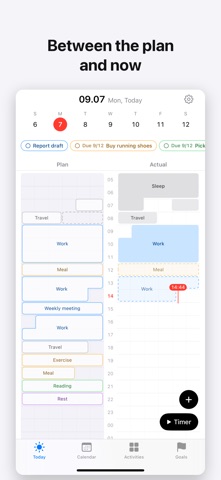
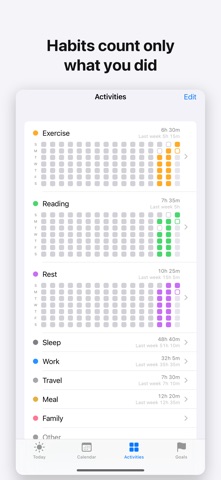
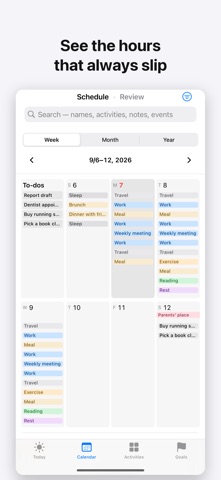
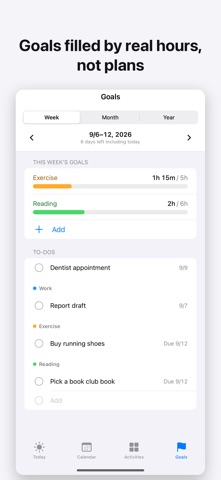
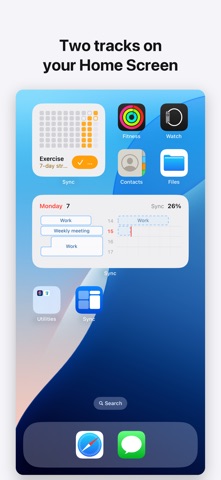
Few days go exactly as planned. Sync lines up your plan and what you actually did on one timeline, and shows where they part. After a week, the hours that always slip become obvious. Plan your day in the morning, record what you did in the evening, and the two tracks line up side by side. Time that went as planned and time that drifted show in color. ■ Two tracks Plan and actual share one time axis. Drag over the hours, pick an activity, done. ■ One tap to confirm When a plan ends, Sync asks "Did it go as planned?" — Record as planned · Adjust and record · Skip. The buttons are right on the Lock Screen and in widgets. ■ Repeats and habits Turn a plan into a repeat or a habit as you save it. When you edit a repeating plan, choose "Save for this day only" or "Save for all future days." Plans that run past midnight save in one go. ■ Timer Start a timer and the actual track grows in real time. Stop it from the Lock Screen or the Dynamic Island. ■ Goals and to-dos Set weekly, monthly, or yearly time goals per activity and they fill in from your actuals. To-dos can have both a scheduled day and a deadline. ■ Apple Health, Calendar, Reminders Connect Apple Health (HealthKit) and your workouts and sleep — from Apple Watch or any app that writes to Health — flow into the actual track automatically. Read-only: Sync never writes to Health. Calendar events show beneath the plan track; choose which calendars to show, and the activity is picked for you when you import an event. To-dos stay in sync with a Reminders list. ■ Close the day Close your day before bed to see your Sync and time per activity, and leave a one-line note. ■ iPhone and iPad On iPad, Sync uses views made for the larger screen. Turn on iCloud sync to keep records in step on an iPhone and iPad signed in to the same Apple Account. Your records are stored on your device. With iCloud sync on, they move only through your own iCloud. No sign-up, no server of ours.
Anahtar kelimeler
Pro'da görünür