Monthly revenue
Monthly downloads
Rating
Price
Monthly revenue
Monthly downloads
Rating
Price
Subscribe to see revenue estimates, ads, complaints and keywords.
Launch offer: 50% off until October 31, 2026
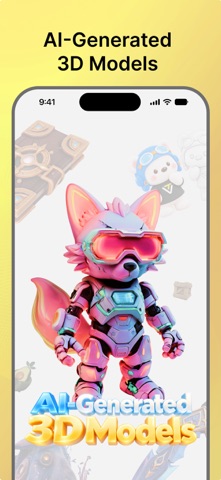
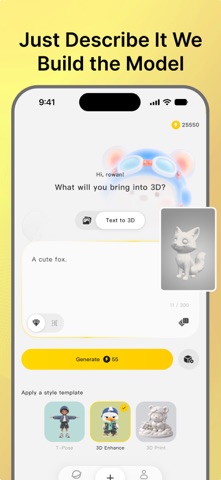
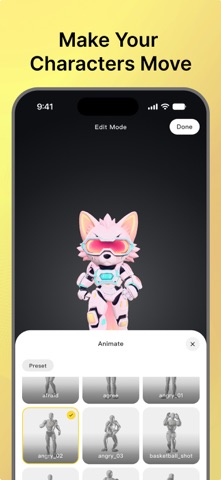
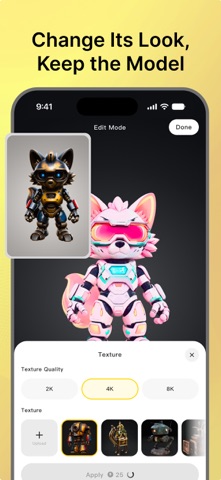
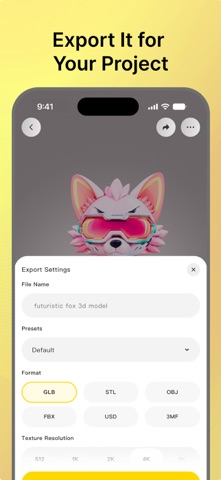
Turn a photo or a few words into a 3D model you can restyle, animate, and export. Snap a photo, pick one from your library, or describe what you want. Tripo AI builds the model, then lets you change its look, try motions on it, and export the model for your game or animation project, all from your phone. Made for game developers, animators, and anyone who wants 3D models without learning 3D software. HOW IT WORKS 1. Take a photo, choose an image, or type an idea. 2. Tripo AI generates your 3D model. You can leave and come back; it keeps working. 3. Change its textures or give it a motion. 4. Export it and bring it into your project. FROM PHOTO TO 3D MODEL Take a photo with your camera or choose an image from your library, and Tripo AI turns it into a 3D model. Spin it, zoom in, or tilt your phone to look around it. Switch lighting and display modes to check every detail. Want to change the photo first? Describe the edit, and Tripo AI updates the image before building the model. JUST DESCRIBE IT Prefer words? Type what you have in mind, like "a red toy car with four wheels", and Tripo AI builds the model directly from your text, with no image step in between. Not sure where to begin? Start from a template. MAKE YOUR CHARACTERS MOVE Pick a motion from the preset library and see your character move in 3D. Try a few and keep the one that fits. CHANGE ITS LOOK Your model is a starting point. Apply a preset texture style or upload a reference image to change its look without starting over. Split your model into parts, then select, hide, merge, or remove them. Rebuild the mesh with quads or triangles and set the face count you need. GET INSPIRED BY OTHER CREATORS See what other creators are making. Open any model to view it in 3D and find ideas for your own. Save the ones you like to your favorites. EXPORT IT FOR YOUR PROJECT Export your model for your game, animation, or 3D workflow. Supports GLB and FBX. Animated characters export with the motion you picked. Save the file to your phone or send it to another app. With a subscription, choose triangles or quads and set the face count before you generate. WHAT YOU CAN MAKE Want to see yourself in 3D? Turn a selfie into a character, give it a motion, and spin it around on your phone. Building an indie game? Get props, creatures, or characters to start from instead of a blank scene. Working on an animation? Turn a character idea into a 3D model and try different motions on it, right on your phone. Have a drawing or a piece of concept art? Take a photo of it and see your idea as a 3D model you can turn and inspect from every angle. Have a product idea? Test it in 3D before spending hours in modeling software. Want to hold it in your hands? Make a custom 3D model for 3D printing, a unique gift, or home décor. Stuck for ideas? Browse the community, find something you like, and make your own version from a photo or a prompt. GET STARTED Create an account and start making 3D models for free. No purchase is required to try Tripo AI. SUBSCRIPTIONS Some features require a subscription. Subscriptions are optional, and plans, benefits, and prices are shown in the app before you buy. Payment is charged to your Apple Account. Subscriptions renew automatically unless auto-renew is turned off at least 24 hours before the end of the current period. You can manage or cancel your subscription at any time in your App Store account settings. Terms of Use (EULA): https://www.apple.com/legal/internet-services/itunes/dev/stdeula/
Not on the US charts right now.