SitePrinter: Screenshot to PDF
Shintaro Fukuta
ProductivityReleased Jun 24, 2026
Monthly revenue
Monthly downloads
Rating
Price
Shintaro Fukuta
Monthly revenue
Monthly downloads
Rating
Price
Subscribe to see revenue estimates, ads, complaints and keywords.
Launch offer: 50% off until October 31, 2026
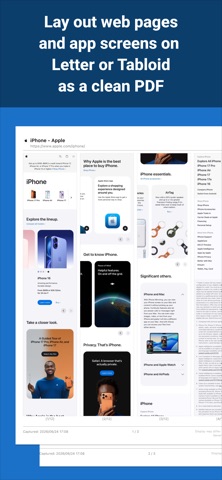
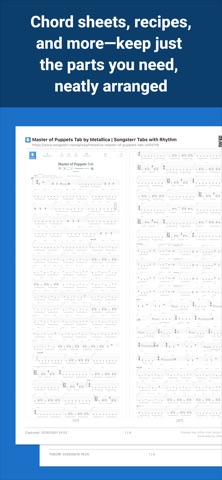
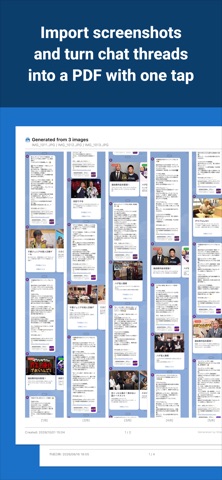
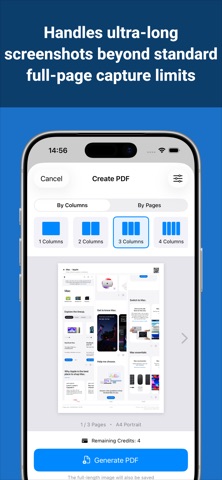
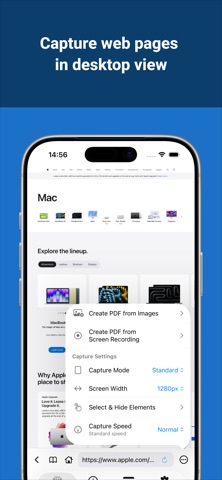
SitePrinter turns web pages, screenshots, and screen recordings into PDFs laid out for printing. Combine long pages or a series of screenshots into one document that's easy to read. Keep the screens that matter—chats with AI, explanations in study apps, message threads, guitar chord sheets—in a form you can look back on anytime. Every PDF you make is saved in the app automatically. ■ Key Features ● Create PDF from Screen Recording (NEW) Record your screen while scrolling through another app, and SitePrinter joins it into one long image and turns it into a PDF. Save screens you can't open in a browser: chats with AI like ChatGPT or Gemini, questions and explanations in study apps, message threads, emails, social media timelines, and more. Works whether you scroll down or up, and bars fixed at the top and bottom (headers, message fields) appear only once, at the start and the end. ● Join Screenshots into a PDF Pick up to 30 images from your photo library and join them top to bottom into a PDF. For screenshots taken while scrolling, overlaps and bars fixed at the top and bottom are removed automatically. You can fine-tune each join on the check screen. ● Full-Page Web Capture Capture an entire page in the built-in browser with automatic scrolling. Choose the screen width: Auto, a PC layout, or a smartphone layout. ● Long Page Mode & Infinite Scroll Mode Capture pages far longer than Safari's full-page screenshot can handle (up to 250,000 px). For endless pages like social feeds, capture as you scroll and stop whenever you like. ● Select & Hide Elements Tap ads, banners, or anything else you don't need to hide it before capturing. ● Trim & Markup Trim unwanted parts from the top and bottom before making a PDF. Write on your capture with a pen or highlighter to circle key points or add notes. ● Flexible Layouts Choose from 1 to 8 columns. Paper sizes include A4, Letter, A3, and Tabloid, in portrait or landscape. Or set the number of pages, and the columns are worked out for you—handy for printing a long page on fewer sheets. ● Automatic Header & Footer The page title, URL, and capture date are added automatically. You can also add a QR code that opens the original page. ● Auto-Save & History Your PDFs are saved in the app automatically, ready to view, share, or print from History. You can also keep the full-length image the PDF was made from. ■ Great For ・Rereading or printing long answers from ChatGPT or Gemini ・Turning study app questions and explanations into PDFs to review what you got wrong ・Printing explanations from online classes or study apps to write notes on ・Keeping a whole chat history in a single PDF ・Saving emails and social media conversations as evidence or records ・Printing guitar chords and sheet music sites cleanly, without ads ・Keeping manuals and instructions as PDFs or on paper ・Reading long articles offline ・Printing web pages on fewer sheets of paper ・Combining scattered screenshots into one For study, hobbies, or work—turn the screens you want to keep into a single PDF, your way.
Not on the US charts right now.