
Weekly revenue
Weekly downloads
Rating
Price
Weekly revenue
Weekly downloads
Rating
Price
Subscribe to see revenue estimates, ads, complaints and keywords.
Launch offer: 50% off until October 31, 2026


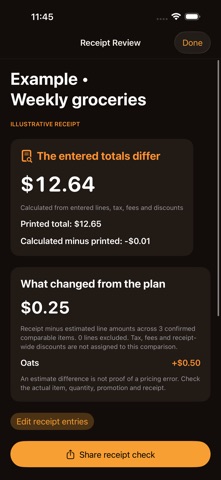
Receipt Check compares manually entered receipt lines with a snapshot of your checked cart and reconciles the final total without changing your shopping list. HOW IT WORKS 1. Open Budget, choose Receipt Check and explore the labeled weekly-groceries example. 2. Start from checked cart items or create a manual receipt. Enter extended line amounts, tax, fees, discounts and the printed final total. Confirm matching items and quantities for estimate comparisons. 3. Review missing entries, the calculated-minus-printed difference and comparable item changes. Save the draft or share the complete text report. Cart planning, quantities, pantry tools, budget tracking and existing shopping workflows remain available. Corrupt receipt files are preserved and blocked from overwrite. WHAT TO KNOW Manual USD entries only. No receipt scanning, photo upload, payment or proof of an overcharge. Tax, fees and receipt-wide discounts are excluded from per-item estimate comparisons. Up to 200 lines and 100 saved receipts; incomplete drafts are clearly labeled. iPhone and iPad.
Not on the US charts right now.